UniWorld V2 Instruction-Based Image Editing Model
UniWorld V2 delivers precise, region-aware image editing using natural-language prompts and reinforcement-trained diffusion for accurate multi-step visual modifications.
Key Features Of Uniworld V2
Discover the powerful capabilities of UniWorld V2, the instruction-based image editing model with RL-enhanced accuracy.
Region-Aware Editing
UniWorld V2 allows users to mask any area and apply a prompt. Edits are applied only to the selected region while preserving global lighting and coherence.
RL-Enhanced Accuracy By UniWorld-R2
UniWorld V2 uses a reinforcement learning framework (Edit-R1) where an MLLM evaluates edit quality, improving: alignment to human intent, structural consistency, and instruction correctness. (> Outperforms GPT-Image-1, Nano Banana, Gemini in edit accuracy benchmarks.)
Multi-Round Edit Consistency
Edits preserve the visual history. Users can: edit → re-edit → refine without breaking composition or style.
Advanced Typography & Text Editing
UniWorld V2 can insert or replace text within images while preserving: font style & aesthetics, stroke integrity & edge sharpness, correct spacing, alignment, and perspective warp. Unlike most image-editing diffusion models, UniWorld V2 handles text as a first-class visual element, not as a texture or artifact. It renders text that integrates naturally with the design.
Explore Uniworld V2 User Creations
Real examples of instruction-based edits generated using UniWorld V2.
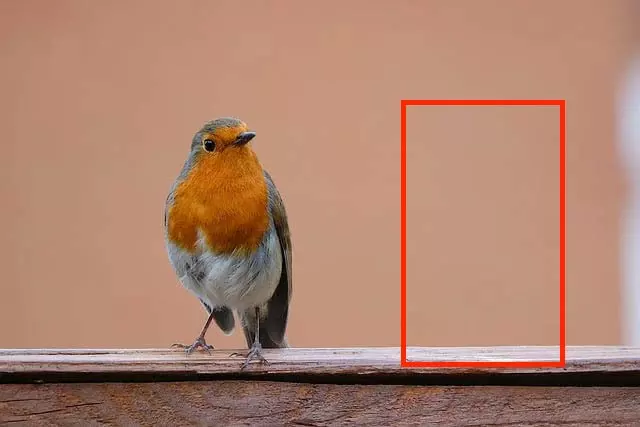
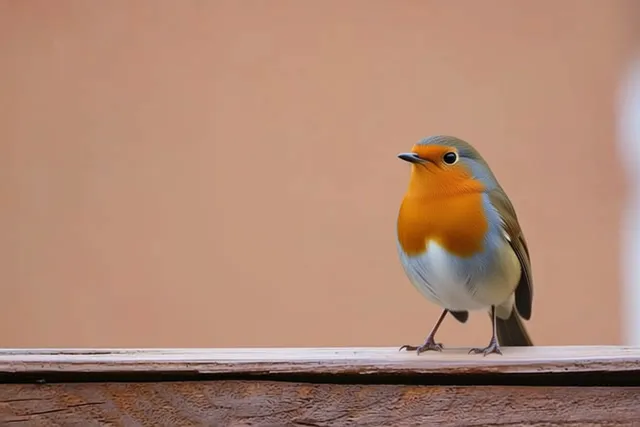
Region-edit (object editing)
Given: "Move the bird to the red box, remove the original bird, remove the red box." → UniWorld V2 moves the bird, removes artifacts, completes scene naturally.
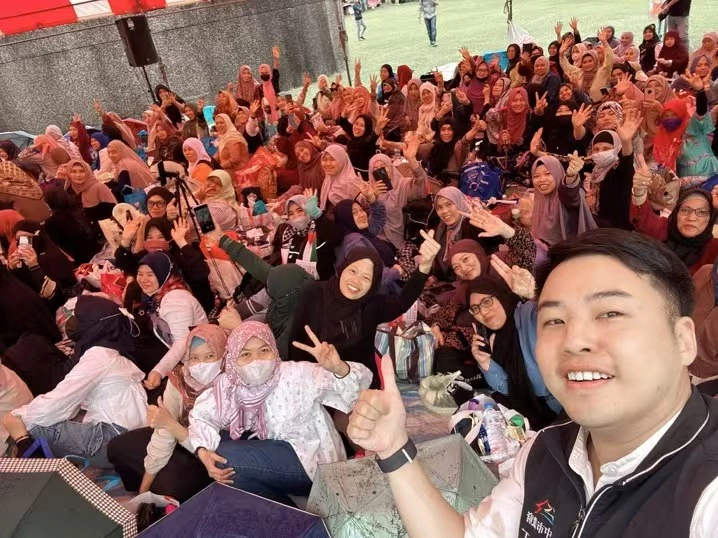
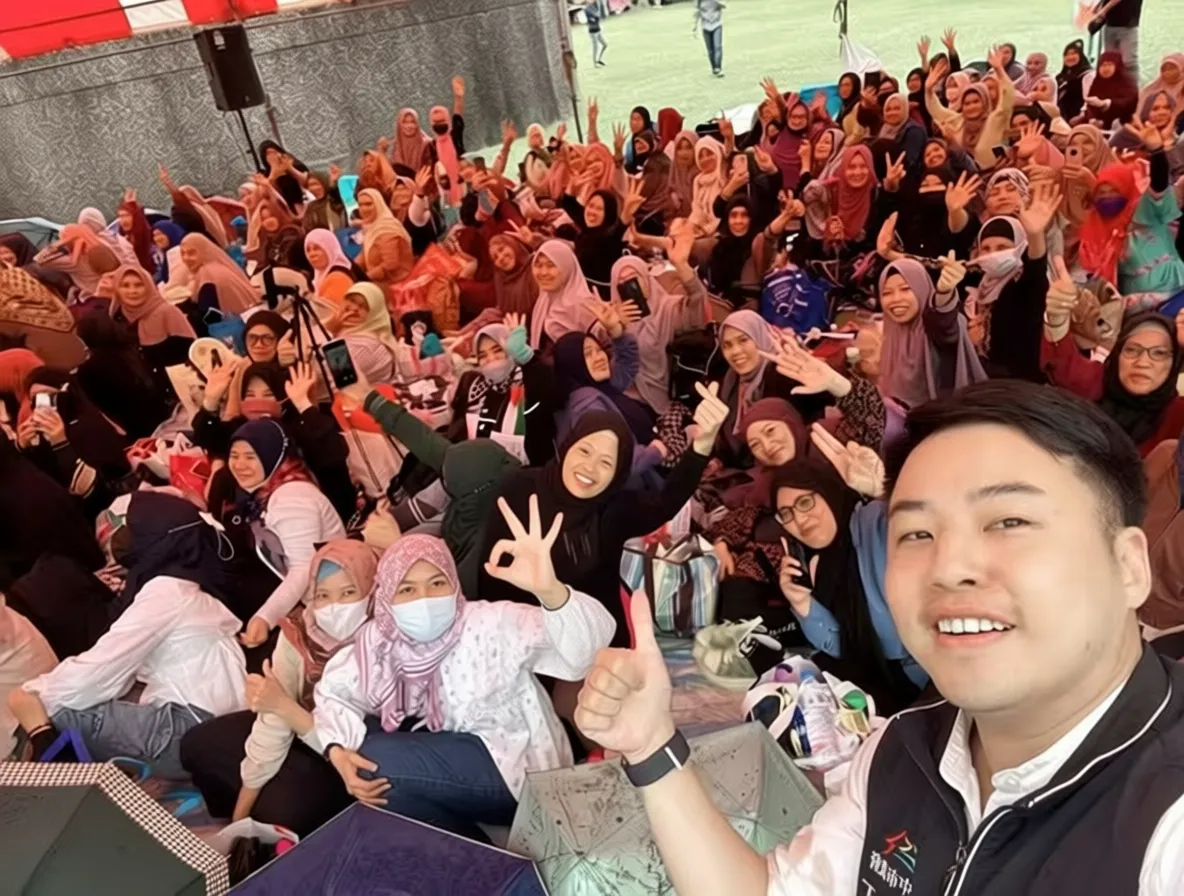
Gesture replacement
Given: "Change the girl's hand gesture to OK." → UniWorld V2 modifies only the hand pose while keeping the face/lighting intact.
Typography modification
Given: "Extract the guitar from the image" → UniWorld V2 extracts the guitar element from the image.
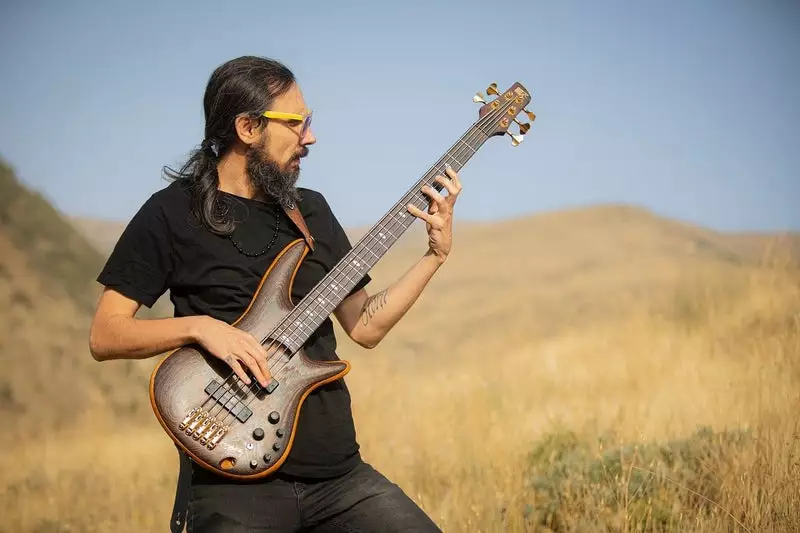
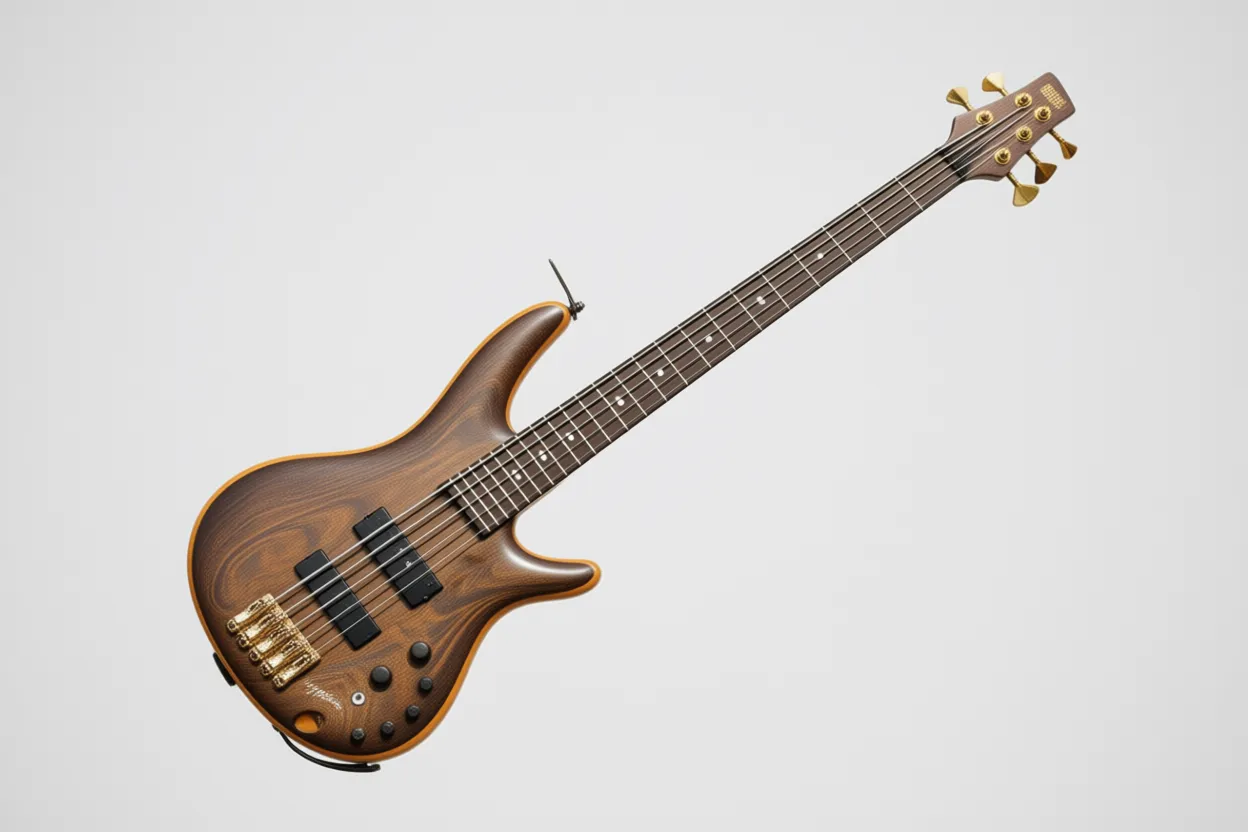
Scene composition
Given: "Make the figure in the image sit in a high-end Western restaurant, holding a knife and fork with both hands to eat steak." → UniWorld V2 transforms the scene while maintaining natural composition and lighting.
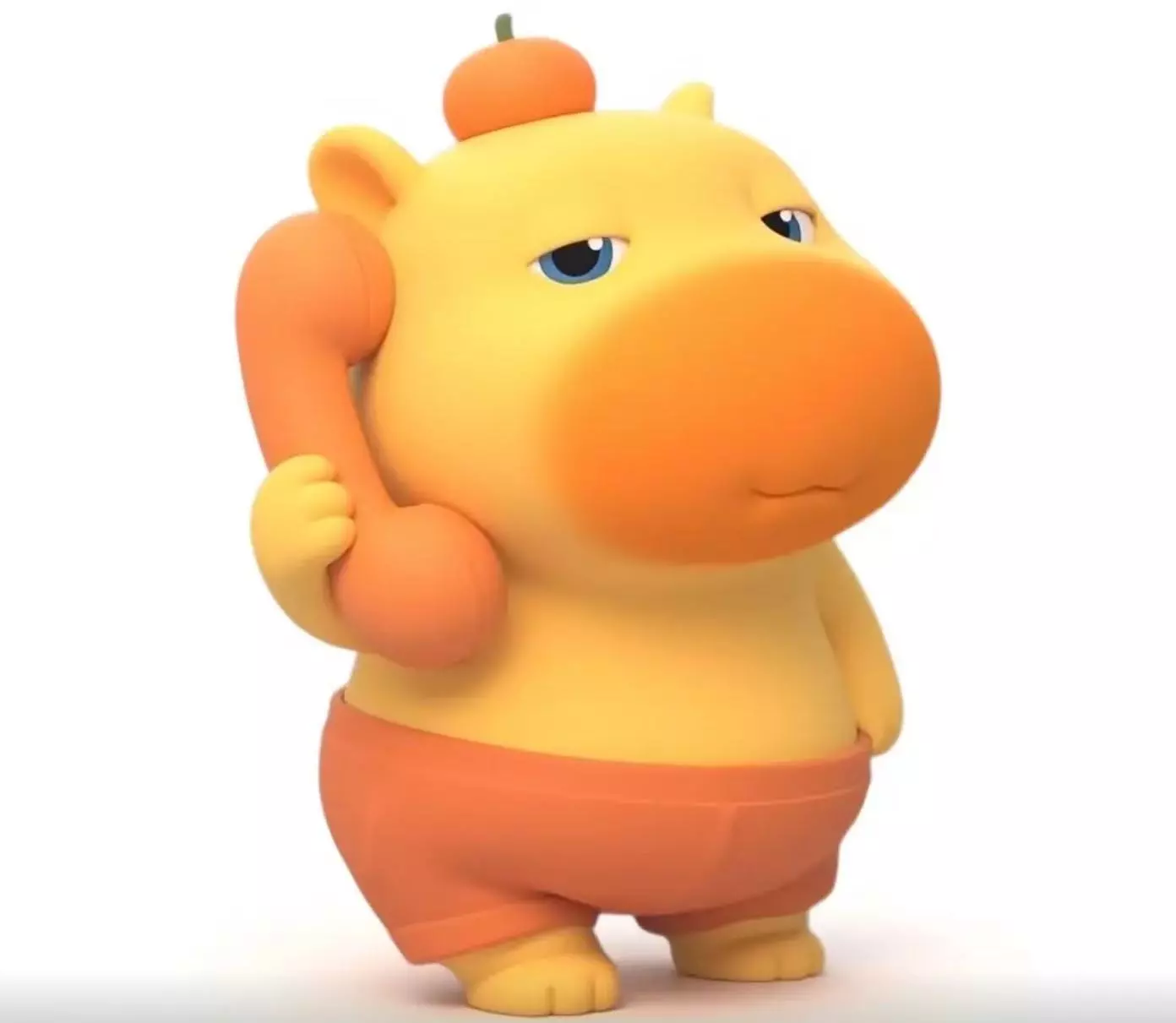
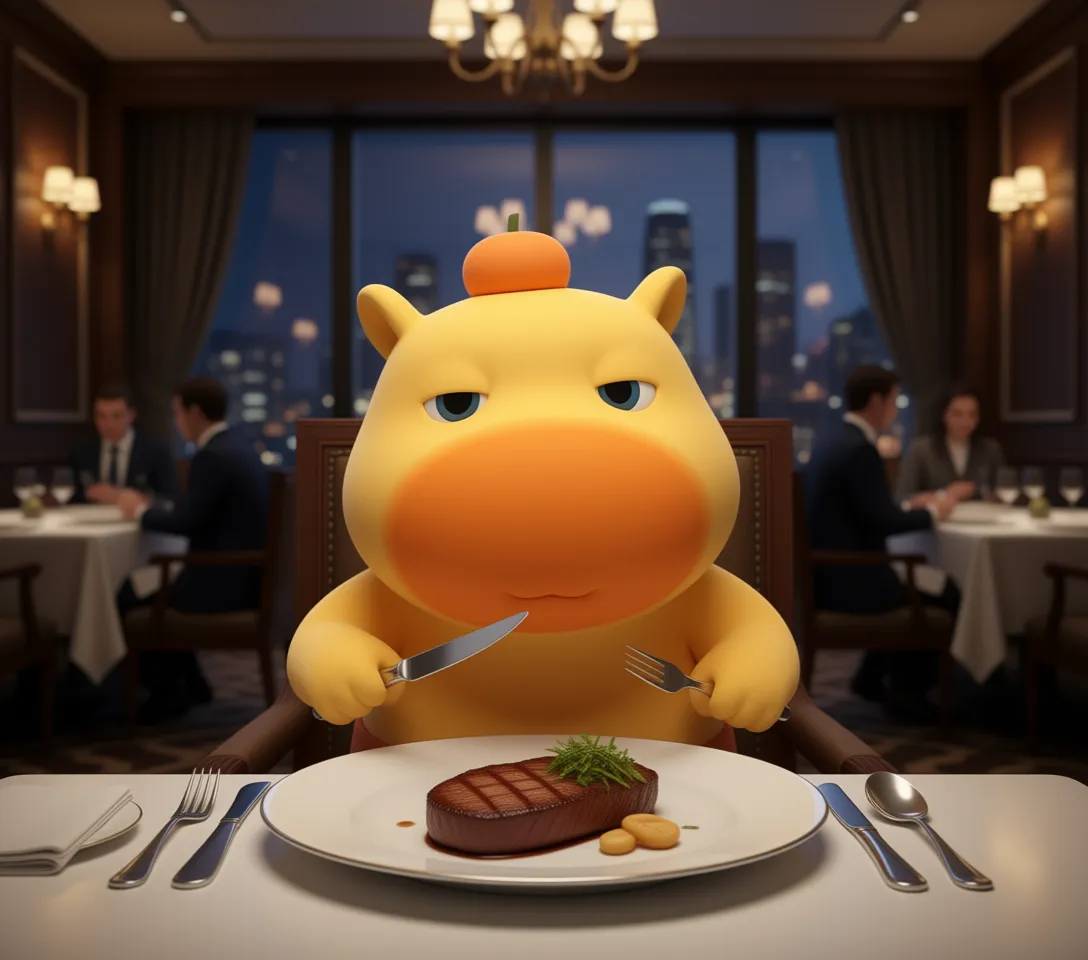
Application Scenarios
Discover how UniWorld V2 transforms workflows across industries with precise, instruction-based image editing.
Advertising & Social Assets
Replace product, update poster text, generate localized visuals.
Product UI/UX Iterations
Test variations (new colors / props) without reshooting.
Education & L&D
Modify diagrams, insert labels, replace texts visually.
Editorial / Publishing / Newsrooms
Quick visual fixes without Photoshop.
Content Creators / E-commerce
Change clothing, hand gestures, product packaging on the fly.
Localization
Change on-image language efficiently while keeping design consistent.
How to Use Uniworld V2
Upload an image
Provide a clear visual starting point.
Select a region
Draw a rectangle or polygon around the part to be modified.
Enter an instruction
e.g., "Replace the bag with a red handbag." e.g., "Make the font calligraphy style."
Click Generate
Preview, iterate, refine. 👉 UniWorld V2 supports unlimited editing rounds without losing visual coherence.
Uniworld V2 Loved by Creators
Real feedback from creators using UniWorld V2 for precise, instruction-based image editing.
Liang Z.
Visual Designer
Finally — an editor that understands exactly what I mean when I say 'make it calligraphy.'
Chen L.
Social Commerce Operator
It changed product variants across 20 images without breaking lighting. Unreal.
Grace W.
Content Studio Lead
Multi-step edits remain consistent. No more starting over from scratch.
Yuna H.
Marketing Team
This model actually understands text editing prompts — not just generic "try your best" diffusion guesses.
Liang Z.
Visual Designer
Finally — an editor that understands exactly what I mean when I say 'make it calligraphy.'
Chen L.
Social Commerce Operator
It changed product variants across 20 images without breaking lighting. Unreal.
Grace W.
Content Studio Lead
Multi-step edits remain consistent. No more starting over from scratch.
Yuna H.
Marketing Team
This model actually understands text editing prompts — not just generic "try your best" diffusion guesses.
Uniworld V2 FAQs
UniWorld V2 is an instruction-based image editing model built with RL, enabling fine-grained, region-based edits via natural language prompts.